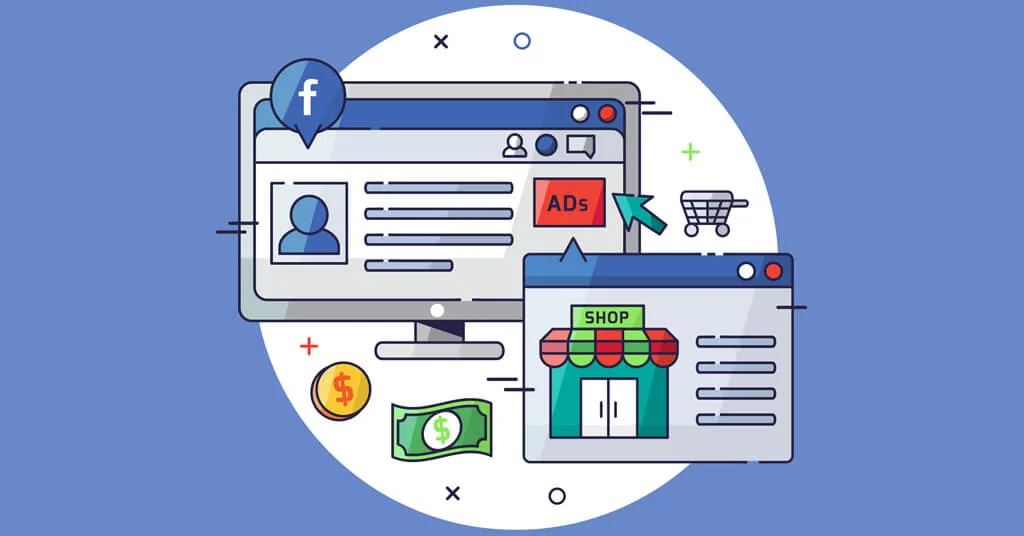
Of all the tools created by Meta for marketers, Meta Pixel (known until recently as Facebook Pixel) remains the most important. It is the backbone of every effective campaign because it measures real results and allows ads to be automatically optimized based on user behavior.
What is Meta Pixel
Meta Pixel is a code placed on your website to track actions such as:
-
page visits
-
add to cart
-
form submission
-
purchase completion
This data is sent to Meta's advertising platform and allows you to:
-
measure the exact return on ads
-
build custom audiences
-
create Lookalike audiences
-
optimize campaigns for conversions, not just clicks
Why is it still essential in 2026
Even after the changes in iOS 14 and tracking restrictions, Meta Pixel remains critically important. In combination with Conversions API (CAPI) it gives you complete and reliable reporting of results - even when users limit cookies.
8 reasons to install Meta Pixel
-
Conversion tracking - measure registrations, purchases, and CPA (cost per conversion).
-
ROAS calculation - you can send purchase value back to Meta and measure return on investment.
-
Funnel analysis - see at which stage customers drop off (view, add to cart, order).
-
Creating custom audiences - remarketing to people who visited the site.
-
Excluding uninterested users - save money by not showing ads to people who have already bought.
-
Lookalike audiences - find new customers similar to your actual buyers.
-
Conversion optimization - your campaigns will learn which users convert most often, not just which ones click.
-
Dynamic ads (DPA) - automatically show products the user has already viewed.
Important note
The Pixel does not work retroactively - it starts collecting data only after installation.
The audiences you create are valid for up to 180 days.
How to create and install Meta Pixel
1. Create it through Meta Business Manager
-
Log in to Events Manager.
-
Choose Connect Data Sources → Web → Meta Pixel.
-
Name the pixel and enter your domain.
-
Connect the pixel to specific ad accounts.
2. Install on the website
You have three options:
-
Platform integration - Shopify, WordPress, WooCommerce, Wix, etc.
-
Manual installation - place the code in
<head>on all pages. -
Through Google Tag Manager - the most flexible and controlled method.
Then check whether the events are being reported correctly via Test Events in Events Manager.
How to avoid data loss after iOS 14+
After Apple's privacy policy changes, apps must explicitly ask for permission to track. This reduced the number of users from whom Pixel can collect data. The solution is to combine Pixel with Conversions API (CAPI).
What is CAPI
Conversions API sends the same events (ViewContent, AddToCart, Purchase) directly from your server to Meta's servers - without relying on the browser and without the need for cookies.
Benefits
-
Complete tracking, even with blocked cookies
-
More accurate data for optimization
-
Smaller losses from iOS restrictions
Setup
-
Open Events Manager and select Add Conversions API.
-
Generate Access Token.
-
Integrate CAPI through your platform or via Google Tag Manager Server.
-
Check whether events are duplicated correctly with event_id.
How to protect your Pixel
Many businesses lose money because their pixel is installed on third-party websites or access is not controlled.
Check:
-
Who has access to your pixel in Business Manager.
-
Which domains it is active on (in Events Manager -> Overview -> Domains).
-
Whether there is any suspicious traffic or activity.
Remove unnecessary users, old partners, and unused pixels.
Practical tips
-
Combine Pixel + CAPI - this gives Meta a more complete picture of your users.
-
Create Lookalike audiences from real buyers, not from clickers.
-
Monitor Event Match Quality - the goal is above 7/10.
-
Install only one pixel on the site - multiple pixels can duplicate events.
-
Check the data regularly - incorrect prices or missing parameters distort optimization.
Example from practice
An e-commerce company integrated Pixel and Conversions API at the same time.
Results for the first 30 days:
-
28% higher tracking accuracy
-
32% better ad optimization
-
21% decrease in cost per conversion (CPA)
Conclusion
In 2026, Meta Pixel is smarter, safer, and more effective than ever. Despite tracking limitations, it remains an indispensable tool for analysis, remarketing, and optimization.
Install it correctly, combine it with Conversions API, and monitor your data regularly.
This is the foundation of a stable and profitable advertising system.
If you would like professional help with installation and configuration, you can request a free consultation and we will help you integrate Meta Pixel and CAPI quickly, safely, and correctly.